Showing posts with label whatsapp. Show all posts

Monday, August 27, 2018

Top 5 Apps That Let You Make Calls Without Revealing Your Number

Here are top 5 handpicked apps that let you make calls to anyone without revealing the number to the receiver. This Trick help in making private calls and pranking your friends etc.


Related image

We dug around to see which smartphone apps are the best for throwaway phone numbers, and here's what we've come up with—for Android and iPhone—in no particular order.


#1 : Hushed :

The app works for both Android and iOS, and offers a free 3-day trial. You can pay for a private number with relatively cheap ingoing/outgoing per minute rates, or join an actual plan. In my opinion, the best deal is the $4.99/month per new number for unlimited use, which makes it an excellent deal if you use it a lot. If you decide to delete the number, you'll have to start over with a new one and new plan.


Hushed also allows texting, though the feature is only available for the US, Canada, and the UK for now. If you prefer messages to self-destruct once they're opened, then Hushed has you covered there as well; simply turn on the included Private Messaging feature (which requires both parties to use Hushed) and you're all set.


Download Hushed App


#2 : Burner :

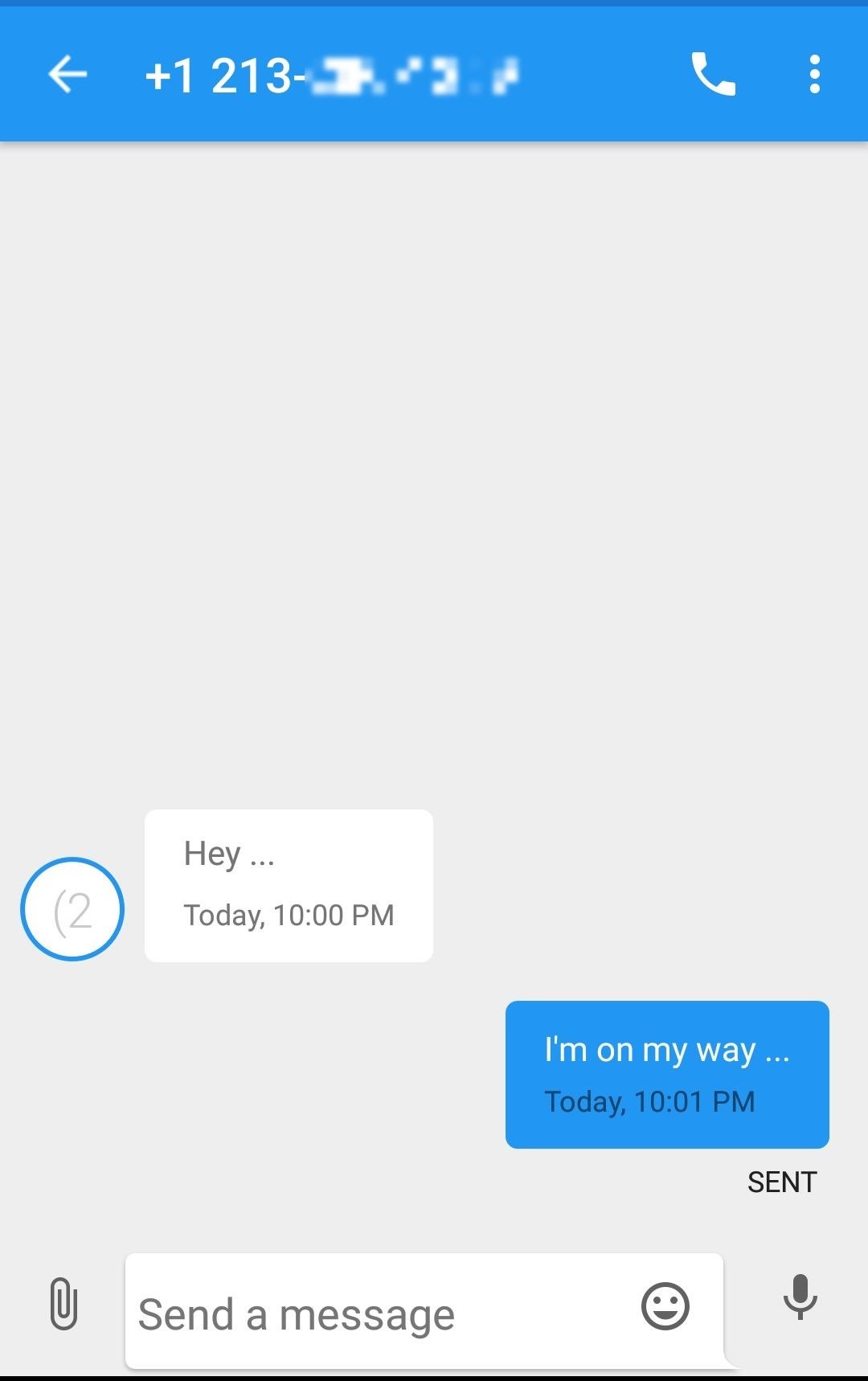
The app has a relatively clean layout, and allows you to call and text from a new private number that you select—but it's only available in the US and Canada. Unlike Hushed above, Burner numbers will use minutes from your normal carrier plan, but Burner does also have a separate voicemail inbox.


The best part about Burner is that they let you "burn" your number, so you can toss it out and get a new one in seconds. You can try out Burner with a limited 7-day trial. There's no standard plans available; instead, you purchase credit packs starting at $1.99, which can be used to buy a burner number for a week, two weeks, a month, etc. with different calling/texting allotments. These can be extended with more credits, and you can also pay $4.99/month per new number for unlimited use.


Download Burner App


#3 : Sideline : 

Sideline is a budget-friendly calling app. Like Burner, it's US and Canada only, and it uses your carrier network, so calls made or received with Sideline will show up on your carrier bill. There's also a few ways to make the voicemail separate from your real number. As a bonus, you can even port phone numbers over to Sideline, in case you don't want to let one go from another service.


The best part about Sideline is that it's totally free, for the most part, and supported by ads. However, you can get rid of advertisements by paying for the Pro subscription for $2.99/month, and it will also let you toggle between Wi-Fi and cellular calls. Overall, it's a bit basic, but much cheaper, so definitely check it out if you don't need the enhancements of other apps.


Download Sideline App 


#4 : Line2 :

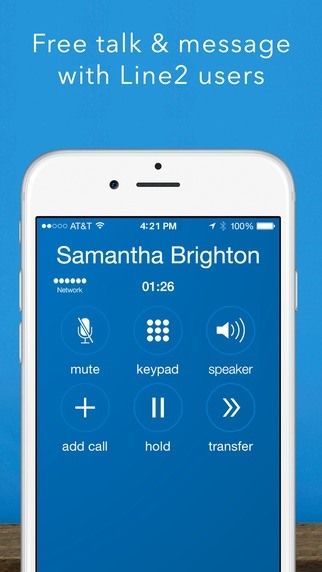
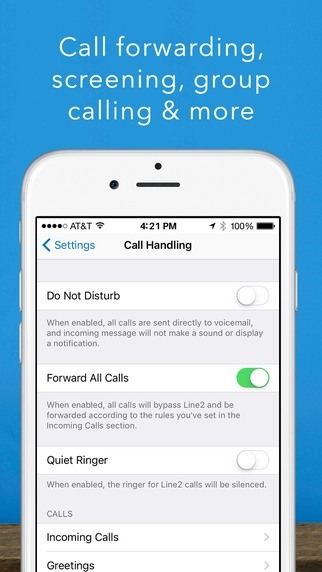
Line2 offers you personal and business features, at comparatively affordable prices. You can select a US or Canadian phone number, granting you 5,000 calling minutes per month and unlimited messaging—that don't count against your cellular plan—with low international call and texting rates. There's also call forwarding, group calls and messaging, and voicemail-to-email notifications.

Also Read : How To Run Android Apps Without Installation ( Tutorial )


The best part is that it can be used on more than just your Android or iOS smartphone; there's apps for Mac, Windows, Amazon Fire, iPad, and Apple Watch.


Downoad Line2 App


#5 : TextMe Up : 

You can call other TextMe Up, FreeTone, or TextMe users for free, but in order to make phone calls to anyone else, you will need to either subscribe or purchase or "earn" credits by watching videos or completing offers. To get unlimited calling to your TextMe Up number, it's an affordable $2.99/month per line. Also, the first number you create is free, but you'll have to pay for additional numbers.


The app is relatively new, and in my experience, it was a bit buggy. However, I think the app has a lot of potential and is definitely worth checking out.


Download TextMe Up App 

Wednesday, August 22, 2018

This Latest Whatsapp Bug Allows Blocked Users To Send Messages

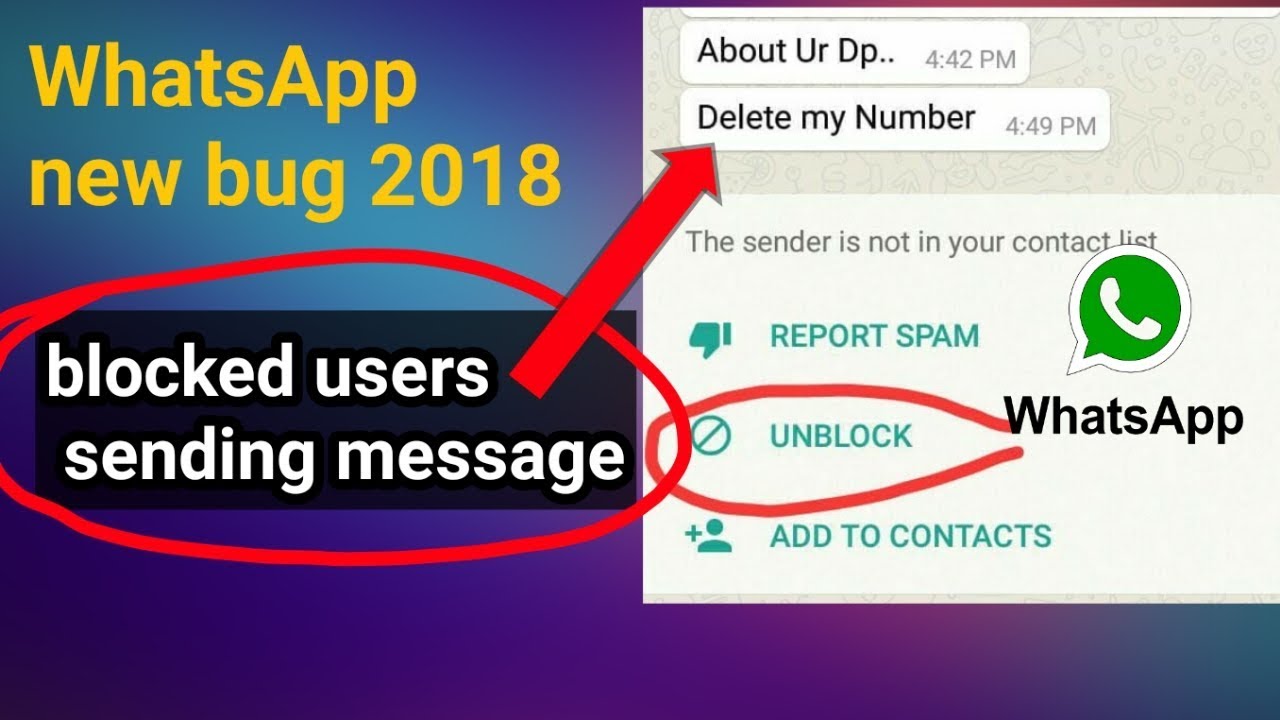
We all know very well that WhatsApp is undoubtedly one of the best and most used private messaging tools out there. With constant news, has managed to remain at the top of the choice of users. However, now according to the latest reports, recently, a WhatsApp bug has been discovered that simply allows blocked contacts to send messages.


Image result for This Latest Whatsapp Bug Allows Blocked Users To Send Messages

The ability to block contacts is present in most messaging software and allows you to stop receiving messages from people you do not want to interact with. It’s essential, and WhatsApp has worked well.


The latest WhatsApp crash
The failure that has been reported in the last few days realizes that this blocking feature has stopped working and the blocked contacts have once again been able to view the status of the user and send messages to them.


The reason for this problem is not known for sure and it is not affecting all users in a global way.


The solution for this WhatsApp problem

From what it was already possible to test, the simplest way to resolve, even temporarily, this problem is to remove it from the lock to the contact and add it back to the block list.


The answer from WhatsApp

WhatsApp has already recognized this problem and the dev team already now preparing a new version of its app to address this issue and resolve it fully. The new version should be available at any time and distributed to users.
Also Read : How To Download Incompatible Apps In Any Android


This is a serious problem but one that is suspected to be on the side of WhatsApp servers. Despite having a “manual” solution, it requires a direct intervention from WhatsApp itself to be resolved immediately.

Tuesday, August 21, 2018

This App Lets Your Friends Spy On Your WhatsApp

We all know very well that the instant messaging application WhatsApp is the most used communication apps always gives its users the latest features. However, now according to the latest reports, recently a new app appeared on the web that simply lets your friends spy on your WhatsApp.


Image result for This New App Lets Your Friends Spy On Your WhatsApp

WhatsApp is one of the most used communication apps, giving users the latest features. Of course, there are some hidden and that many are aware of.


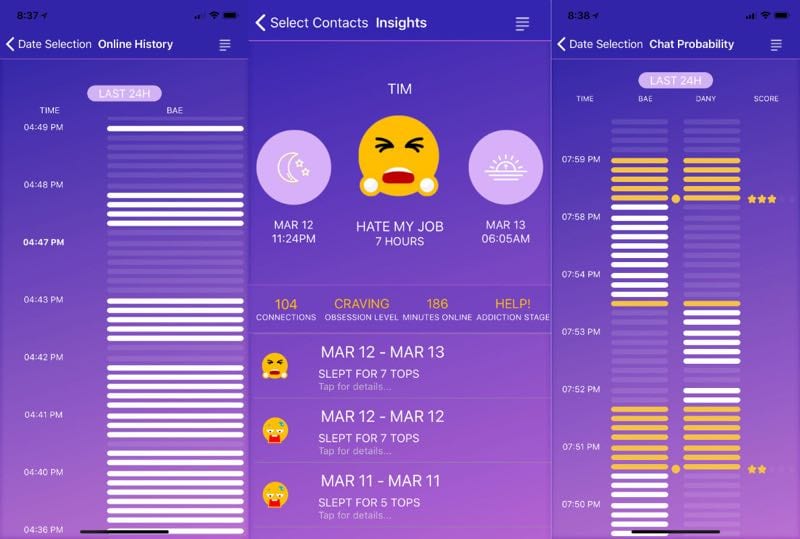
Chatwatch now comes to explore these features, showing you a lot of information about your contacts, even some that you thought were not possible.


Also Read : HOW TO INCREASE YOUR SNAPCHAT SCORE IN MINUTES [1000+ Snapscores Daily] [With Proof]


What Chatwatch does is very simple and only uses information that is public about WhatsApp users. This information includes the times when users were online and how long they were online.
With this information, you can extrapolate a lot, from the actual connection time to WhatsApp to who the users were talking to. This last information is not 100% reliable since it is done by estimation.


But Chatwatch goes further and can show when users check if they have WhatsApp messages and how long they are sleeping.
Something curious is that Chatwatch can learn all the connection information, even when users have Last Seen disabled. The way this information is obtained has not been explained.


Chatwatch was available for iOS and Android, but the tech giant Apple’s iOS version has since been removed from the app store without any explanation. The creators of Chatwatch now want to launch a web version, to be immune to these problems.
After all the problems that the social network giant Facebook has had, it is now another of the largest social networking services to give information that many may consider private.


Click Here To Download Chatwatch App 

Wednesday, August 15, 2018

How to Easily Save WhatsApp Stories

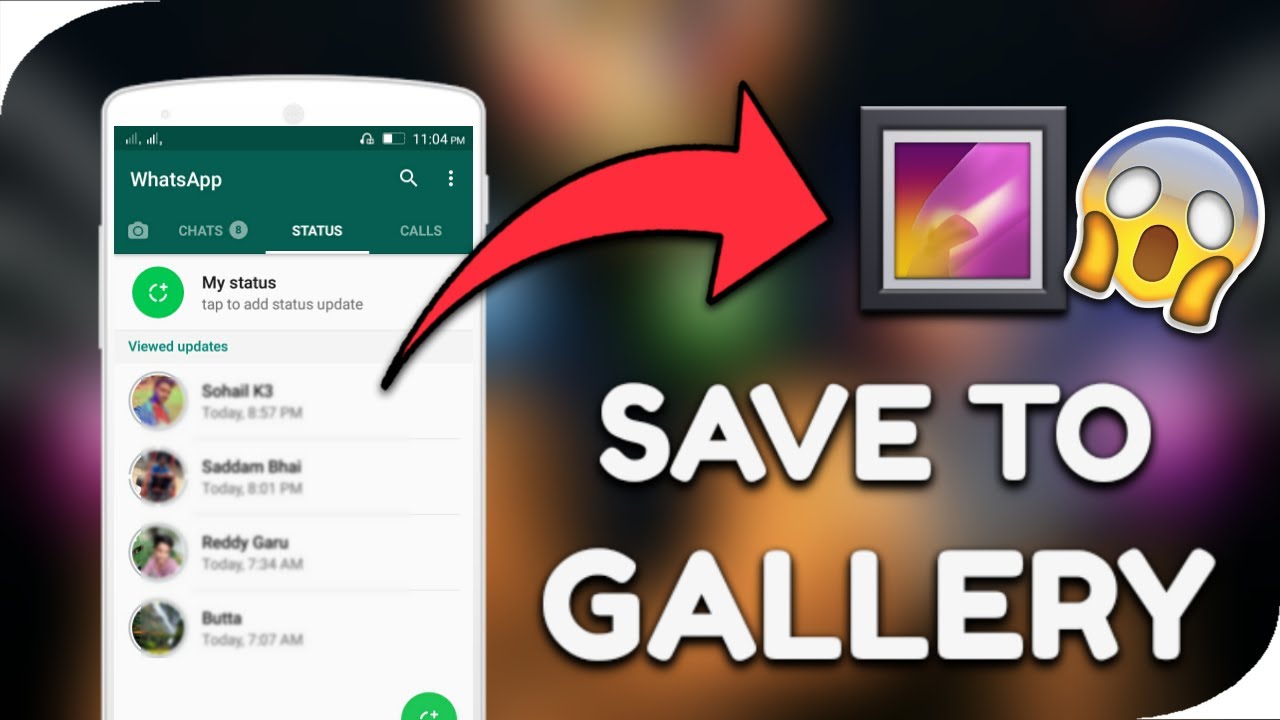
With this little trick you can easily download WhatsApp status updates directly to your gallery and you can use them as normal media files to share and save on your phone.


Image result for save whatsapp stories

Method 1:


  1. Download an Install an application called WhatsApp stories or Status Saver from the play store.
    save whatsapp video status
  2. You must have already viewed multiple stories on WhatsApp Status before they’ll appear on the ”WhatsApp stories App.
  3. Select the photos or videos you want to save and tap on the save option.
    save whatsapp video status
  4. All files will be saved to your device Gallery.

And there you have it, that’s the first method that you can use it saving WhatsApp video status.

Also Read : How To Save Snapchat Videos | Updated Trick

Here’s the second method

Method 2:


It will interest you to know that the WhatsApp video status that you want to save is already saved in the memory of your device. All you have to do is locate a unique hidden folder called named ”statuses”, unhide the folder, copy the status of your choice to a new folder.

  1.  Go to your device memory, located the Whatsapp folder.
  2.  Unhide hidden folders by using more > Show hidden files.
    save whatsapp video status
  3.  On the WhatsApp folder tap on Media > Statuses.
    save whatsapp video status
  4.  Copy whichever image or video you want to save.
  5.  Paste copied file(s) into a new folder. Probably your gallery.
 

Status Saver is an amazing App that can be used to save WhatsApp statuses. Status Saver was developed by the same owner of Status.wiki .

Download Status Saver App


Saturday, July 28, 2018

Only Admin Can Send Message on Whatsapp Group | New feature Updated on Whatsapp

Great new here Whatsapp announced new feature in which only one person (Admin) can post.

With this new feature , The owners of a group can make it such that they are the only ones capable of sending messages — essentially handing them a massive megaphone for shouting at people. This feature is similar to giving an authority to someone, giving them a megaphone for shouting at people. This WhatsApp new feature is amazing.


The new feature was announced by whatsapp in their blog post.Their is no need to download and install third apps for this purpose in your phone.


Just Follow These Simple Steps To Activate this Feature


  • Update Whatsapp
Firstly, update your WhatsApp app to the latest version because this feature can be implemented only in the new version.
  • Steps To Restrict Groups In Whatsapp
Restrict Group feature is for those who are into the corporate world. All they are open to the public, they don’t want anyone to spam the group with filthy or non-sense messages, so to make only admins add people and send messages, the developers made this feature to the public, and this is how it can be implemented.
Remember:- Only Admins of the group has the right to restrict the group.
Go to your Whatsapp Group and tap on the info. Scroll down, and you will see an option Group Settings.
Click on Group Settings, and you will see another three option:
  • Edit Group Info: This means if the admin enables this feature then only can change the Subject(Title), Icon and Description of the group.
  • Send Messages: This means if the admin enables this features then only they will be able to send messages in the group and the rest of the members would be restricted from doing that.
  • Edit Group Admins: This means you can make/remove members from becoming Admins of the group.
Edit Group Info:
Click on the Edit Group Info option, then you will see two choices. All Participants or Only Admins.
If you choose All Participants – It will allow the access to all the members in the group to change the Subject, Icon, and Description of the group.
If you choose Only Admins– Then only admins resist the rights to do the following activity.
Send Messages:
Click the Send Messages option then you can see two choices –All Participantsor Only Admins.
If you choose All Participants – It will allow the access to all the members in the group to send the messages to the group including Images, Videos, Documents and other things. but
If you choose Only Admins– Then only admins resist the rights to do the following activity.
Edit Group Admins
Click on the Group Admins option and then select the members you want to make admins. they will be added to the top list. But if you want to remove them from admin – just click the X or Remove grey icon and they will be successfully removed from accessing the admin rights.

Too Lazy to Read ?
Watch Video of How Only Admin Can Send Message on Whatsaap Group on Our YT Channel


        You May Also Like : 10 Whatsapp Alternatives that Actually Respect Your Privacy

10 Whatsapp Alternatives that Actually Respect Your Privacy

When social media giant Facebook purchased everyone’s favorite mobile messenger “Whatsapp,” users were promised their data would be private and that they wouldn’t be subject to the shady things that Mark Zuckerberg and crew are known for. That promise is all but gone, leaving many of us seeking alternatives.

As time has gone on, more and more privacy has been taken away from Whatsapp users in the name of “analytical data.” Gone are the days when you could trust this app to be totally private and not expect to get data mined for valuable information – information that could easily be sold to advertisers.


Pretty bleak, right? So let’s lighten the mood by presenting you with a bunch of Whatsapp alternatives that aren’t made of broken promises and baby tears. Here are our top 10 picks.


Availability: Android, Web
best-whatsapp-alternatives-wire
With end-to-end encryption and a no-nonsense interface, Wire is making some waves on the secure messaging scene. Made by Skype co-founder Janus Friis, Wire has some heavyweight design nous behind it.
You need to provide your your mobile number or email to use the app, though these aren’t shared with other users, who you can communicate with via a username. Timed messages are also an option, letting you self-destruct them between five seconds and one day after you send them.
Availability: iOS, Android
alternatives-to-whatsapp-kik-messenger
KIK has developed a bit of a salacious reputation over the years as an app used for sexting, drug dealing and all manner of underhanded tomfoolery (as well as standard messaging, of course). If nothing else, that’s testament to one thing: it’s pretty darn private.
This free app doesn’t store your phone number, so you’re identifiable only by your username, and all messaging data is stored locally on your phone, leaving your privacy in your hands. KIK is therefore virtually unmoderated and perfect for the privacy-conscious.
Availability: iOS, Android
whatsapp-alternatives-line
The biggest WhatsApp competitor you probably haven’t heard of, LINE is a Japanese-developed app that offers a powerful feature set, conference calls, thousands of stickers, and a clean, customizable interface. It uses less data than WhatsApp during calls and end-to-end encryption.
While certain features require LINE to access your contacts list, location and so on, all of this is optional, and whatever data you send is encrypted on LINE’s servers. You can also set self-destruct timers to delete messages from LINE’s servers.
Availability: Android
best-whatsapp-alternatives-wickr-me
In probably the best endorsement of a privacy-oriented messaging app, Wickr Me is apparently used by journalists, world leaders and other sorts who want to keep their private business private. (No names were specified, mind you, but that’s sort of the point, right?)
Like WhatsApp, Wickr Me uses your phone number to log in and contains all manner of silly and fun features like stickers and emojis. But that’s where the similarities end. Wickr doesn’t store your contacts on its servers, doesn’t keep metadata, and deletes messages irretrievably from your phone when you ask it to.
It’s free, doesn’t involve ads, and encrypts your data to high heaven. Good stuff.
Availability: iOS, Android
whatsapp-alternatives-telegram
Telegram is perhaps the most worthy alternative to Whatsapp. For starters, it essentially has comparable features like voice and video messages, a phone number-based login system, stickers, emojis, chat bots, groups, channels and so much more. Along with those cool features, Telegram isn’t just a mobile app.
That’s right, you can use Telegram on Windows, Mac and even Linux with their desktop app. Alternatively, Telegram has a web chat application for all your messaging needs. Best of all, Telegram supports end-to-end encryption and respects your privacy.
Availability: PC, Android
whatsapp-alternatives-kontalk
Have you ever wanted to host your own “Whatsapp” service? With Kontalk, this is possible. This app is an open XMPP-based alternative to Whatsapp that you can keep entirely on your own server. This means you and only you will be in charge of the chat between you and your friends and family, making it the ultimate at respecting your privacy.
Kontalk has an app in the Google Play store as well as the F-Droid app store and a desktop client. If you’re looking for a solution that you can make entirely your own, this is the best choice.
Availability: iOS (as Antidote), Android
whatsapp-alternative-tox
Antox is a robust and privacy-respecting messenger application. It supports all of the standard chat features you’d expect. Antox (Antidote on iOS), unlike a lot of the items on this list, isn’t nailed down to one single app. That’s because it has many officially “blessed” apps for Android, iOS, Linux, Windows, macOS and even FreeBSD.
This ultimately is a messaging protocol, and a secure one at that. It’s under heavy development. Ultimately, Tox is very stable, although you should expect bugs once in a while. If you’re looking to oust Whatsapp from your life, don’t mind the risk of using a beta, and want a bit of variety, go with this app.
Availability: iOS, Android
whatsapp-alternatives-signal
Signal is an app for Android, iPhone, macOS, Windows, Linux, and Chrome that is designed around a similar principle to Telegram. Private communication is based on your phone number, and they promise you’ll avoid SMS and MMS fees, as your number is just used as an ID and not the point of transmission.
As Signal is pretty much a more open-sourced Telegram clone, you’ll see comparable features to that service. If you’ve used Telegram and want something more open, you should give this one a shot. Regardless of its “clone” status, it’s a worthy alternative to Whatsapp.
Availability: iOS, Android
whatsapp-alternatives-threema
Threema is a mobile chat platform that puts your privacy first. Like some other apps on this list, it supports end-to-end encryption of text, images and your GPS location. It also synchronizes with your contacts, making it super easy to find people who are joining the service automatically.
The developers and owners of the service claim that “even we as the server operator have absolutely no way to read your messages,” so you know everything you say is protected and locked away from big companies and governments mining your data.
Availability: iOS/Apple Watch, Android
whatsapp-alternatives-kakaotalk
KakaoTalk is a chat application for Android, iOS, Blackberry, Windows Phone, Windows and macOS designed to let the world chat on a one-on-one basis or with groups in mind. Like most modern chat applications, this app supports the sending of multimedia (pictures, videos, etc.).

The service might not be as well known as some of the others on this list, but don’t let that turn you off. It’s a well-designed program and is about as prolific as it gets. If you’ve tried everything on this list already and haven’t found what you want, perhaps you should give kakaoTalk a go.
Whatsapp used to be a good app, and by most standards, it still is. Facebook has beefed it up with features and made it incredibly competitive. However, seeing as how this platform is little more than a data-farm for advertisements, people should seriously consider switching to one of the apps on this list.
Each alternative to Whatsapp listed here has its own strengths as well as weaknesses. However, one thing they all have in common is that they’re miles removed from any sort of Facebook control.

Wednesday, February 28, 2018

WhatsApp Payment Feature - Now Send & Receive Money on WhatsApp - 2018

Hello Friends,
After a long wait finally WhatsApp have now launched their Payment feature . Here is the simple steps for enabling the feature on your WhatsApp.


If you’re one of WhatsApp’s over 200 million users in India and if you’ve linked your bank account to your mobile phone number, you’ll now be able to use the messaging application to transfer and receive money.
Facebook-owned WhatsApp, in one of its recent updates for both iOS and Android versions, allowed some users to activate the payments feature. The service rides on the back of the National Payment Corporation of India’s Unified Payments Interface. The feature has been launched exclusively in India.


How To Enable WhatsApp Payment Feature Instantly

First of all Install or Update your WhatsApp to Latest Version :- 


1. For sending money to your contacts through UPI-enabled WhatsApp Payments, you will have to first add your bank account to your Payments option. 

2. You can add your bank account by going to Settings > Payments > Bank Accounts. 

3. Add new account and then, tap on 'Accept and Continue' after going through the terms and conditions. 
For successfully sending money, you will have to make sure that your WhatsApp number and your mobile number linked to your bank account are same. 

4. Once your mobile number has been verified via SMS then select the bank account you want to add for UPI-enabled payment. 
You can choose from the list of over 70 Indian banks including Axis Bank, HDFC Bank, ICICI Bank, State Bank of India, Yes Bank, Airtel Payments Bank, Allahabad Bank, Andhra Bank, Bank of Baroda, and more. 

5. To complete the bank account addition, you will have to manually enter last six digits from your debit card as well as expiry date and month.  

6. You will also have to set a four-digit UPI pin which you will have to manually enter every time to complete the transaction. 

7. After successfully adding bank account, you can proceed with making your first payment on WhatsApp. 

8. To send money, open the chat window of the person to whom you want to initiate payment, and tap on attachment icon at the bottom panel.  
You have to note that the receiver will have to also activate the WhatsApp Payment feature in order to receive money on the messaging platform. 

9. On tapping Payments icon from your chat window, you will be taken to a new page where you have to enter the amount you want to send. 

10. After entering the Amount > confirm your UPI PIN > payment successful. 

WhatsApp will also maintain the log of all transactions under the Payments option in Settings and you can always check the history. 
Have you tried sending money on WhatsApp? Try it now and let us know your experience in the comments section below. 

Final Words 

So friends, In this way you can Enable Whatsapp feature on your Android smartphone. I Hope This post will help you a lot . Don't forget to share this post with your friends and family and let them too know about this amazing Exclusive feature . 
Thanks for Visiting.

Tuesday, November 21, 2017

How to see Last Seen on WhatsApp even if Hidden or Blocked You


Welcome Buddies !
Ever wondered "How you can check their last seen and Profile pics even after they blocked you?" 
Well today I'm back another awesome whatsapp trick . In which You can easily track someone , spy them . 
Well , there is an App called " WhatsDog "

With WhatsDog you can spy on any number of your choice. The person not necessarily should be on your contacts list all you have to do is know your victim’s number and WhatsDog will start spying his/her activities on WhstApp on regular basis.

When you start tracking your victim a calendar is created in WhatsDog from which you can keep records of your Victim’s activities on WhatsApp. You can track activities on your desired mode like 24 hours long, or a week long details. And even you track records of a month long.

You May Like It : The Hidden Eye App : Protect Your Phone From Unauthorized Access
Let's Begin The Trick

1. First of all, Download & install WhatsDog App. DOWNLOAD FROM THEIR OFFICIAL SITE

2. Now, tap on start from the main screen.

3. In next step you have to feed the person contact whom you want to track.

4. Now, tap on “By Contact” to automatically set the contact list to automatically set the contact list.

5. Then, tap on continue once you’ve set the contact.

6. That’s it you’re done now, WhatsDog will show you each and every detail of the contact whom you want to snoop even if it isn’t public from privacy settings.

7. Whenever the contact would go online you will receive a notification.

8. This App is easy to use has only one limitation that it just shows last seen of only one contact at a  time.

9. BOOOM !!! That's All You Need To Do.

You May Like It : Read Your Friend's WhatsApp Chats On Your Mobile

Final Words

So here is the trick to spy someone and track their Record on WhatsApp if they blocked you. This app is not official , So Try at your own Risk and I will suggest you to don't misuse it :)
Thanks for visiting , Stay updated :) Like us on Social Media. 

More Tricks : WhatsApp Tricks

Friday, November 17, 2017

Crash Your Friend's WhatsApp By Sending One Special Text - Latest Method


Welcome buddies !
Once again I'm back with a BOOM . You can crash your friend's whatsapp by just sending a Text . :)
This is a simple trick you just have to copy a message from here and send it to your friend :) First of all let me tell you one thing , if you have a low End Device then DON'T try this otherwise you will crush ur own Mobile :p
so let's get started . ( Don't misuse the trick , Only educational purpose only ) :D

You May Like it : Read your Friend's WhatsApp chats on Your Mobile

Just Copy the below Text & Send it to Your Friend 

----Starting---

㊰ߘ
㊠ ߘ㊠ ߘ㠊ߘ㊠ ߘ㊠ ߘ㊠ ߘ㊠ ߘ㊰ߘ㊰ߘ㊠ ߘ㊠ ߘ㠊ߘ㊠
ߘ㊠ ߘ㊠ ߘ㊠ ߘ㊰ߘ㊰ߘ㊠ ߘ㊠ ߘ㠊ߘ㊠ ߘ㊠ ߘ㊠ ߘ㊠ ߘ
㊰ߘ㊰ߘ㊠ ߘ㊠ ߘ㠊ߘ㊠ ߘ㊠ ߘ㊠ ߘ㊠ ߘ㊰ߘ㊰ߘ㊠ ߘ㊠ ߘ
㠊ߘ㊠ ߘ㊠ ߘ㊠ ߘ㊠ ߘ㊰ߘ㊰ߘ㊠ ߘ㊠ ߘ㠊ߘ㊠ ߘ㊠ ߘ㊠
ߘ㊠ ߘ㊰ߘ㊰ߘ㊠ ߘ㊠ ߘ㠊ߘ㊠ ߘ㊠ ߘ㊠ ߘ㊠ ߘ㊰ߘ㊰ߘ㊠
ߘ㊠ ߘ㠊ߘ㊠ ߘ㊠ ߘ㊠ ߘ㊠ ߘ㊰ߘ㊰ߘ㊠ ߘ㊠ ߘ㠊ߘ㊠ ߘ
㊠ ߘ㊠ ߘ㊠ ߘ㊰ߘ㊰ߘ㊠ ߘ㊠ ߘ㠊ߘ㊠ ߘ㊠ ߘ㊠ ߘ㊠ ߘ㊰
ߘ㊰ߘ㊠ ߘ㊠ ߘ㠊ߘ㊠ ߘ㊠ ߘ㊠ ߘ㊠ ߘ㊰ߘ㊰ߘ㊠ ߘ㊠ ߘ㠊
ߘ㊠ ߘ㊠ ߘ㊠ ߘ㊠ ߘ㊰ߘ㊰ߘ㊠ ߘ㊠ ߘ㠊ߘ㊠ ߘ㊠ ߘ㊠ ߘ
㊠ ߘ㊰ߘ㊰ߘ㊠ ߘ㊠ ߘ㠊ߘ㊠ ߘ㊠ ߘ㊠ ߘ㊠ ߘ㊰ߘ㊰ߘ㊠ ߘ
㊠ ߘ㠊ߘ㊠ ߘ㊠ ߘ㊠ ߘ㊠ ߘ㊰ߘ㊰ߘ㊠ ߘ㊠ ߘ㠊ߘ㊠ ߘ㊠
ߘ㊠ ߘ㊠ ߘ㊰ߘ㊰ߘ㊠ ߘ㊠ ߘ㠊ߘ㊠ ߘ㊠ ߘ㊠ ߘ㊠ ߘ㊰ߘ㊰
ߘ㊠ ߘ㊠ ߘ㠊ߘ㊠ ߘ㊠ ߘ㊠ ߘ㊠ ߘ㊰ߘ㊰ߘ㊠ ߘ㊠ ߘ㠊ߘ
㊠ ߘ㊠ ߘ㊠ ߘ㊠ ߘ㊰ߘ㊰ߘ㊠ ߘ㊠ ߘ㠊ߘ㊠ ߘ㊠ ߘ㊠ ߘ
㊠ ߘ㊰ߘ㊰ߘ㊠ ߘ㊠ ߘ㠊ߘ㊠ ߘ㊠ ߘ㊠ ߘ㊠ ߘ㊰ߘ㊰ߘ㊠ ߘ
㊠ ߘ㠊ߘ㊠ ߘ㊠ ߘ㊠ ߘ㊠ ߘ㊰ߘ㊰ߘ㊠ ߘ㊠ ߘ㠊ߘ㊠ ߘ㊠
ߘ㊠ ߘ㊠ ߘ㊰ߘ㊰ߘ㊠ ߘ㊠ ߘ㠊ߘ㊠ ߘ㊠ ߘ㊠ ߘ㊠ ߘ㊰ߘ㊰
ߘ㊠ ߘ㊠ ߘ㠊ߘ㊠ ߘ㊠ ߘ㊠ ߘ㊠ ߘ㊰ߘ㊰ߘ㊠ ߘ㊠ ߘ㠊ߘ
㊠ ߘ㊠ ߘ㊠ ߘ㊠ ߘ㊰ߘ㊰ߘ㊠ ߘ㊠ ߘ㠊ߘ㊠ ߘ㊠ ߘ㊠ ߘ
㊠ ߘ㊰ߘ㊰ߘ㊠ ߘ㊠ ߘ㠊ߘ㊠ ߘ㊠ ߘ㊠ ߘ㊠ ߘ㊰ߘ㊰ߘ㊠ ߘ
㊠ ߘ㠊ߘ㊠ ߘ㊠ ߘ㊠ ߘ㊠ ߘ㊰ߘ㊰ߘ㊠ ߘ㊠ ߘ㠊ߘ㊠ ߘ㊠
ߘ㊠ ߘ㊠ ߘ㊰ߘ㊰ߘ㊠ ߘ㊠ ߘ㠊ߘ㊠ ߘ㊠ ߘ㊠ ߘ㊠ ߘ㊰ߘ㰟
Ѝ
ߘ㊠ ߘ㊠ ߘ㠊ߘ㊠ ߘ㊠ ߘ㊠ ߘ㊠ ߘ㊰ߘ㊰ߘ㊠ ߘ㊠ ߘ㠊ߘ
㊠ ߘ㊠ ߘ㊠ ߘ㊠ ߘ㊰ߘ㊰ߘ㊠ ߘ㊠ ߘ㠊ߘ㊠ ߘ㊠ ߘ㊠ ߘ
㊠ ߘ㊰ߘ㊰ߘ㊠ ߘ㊠ ߘ㠊ߘ㊠ ߘ㊠ ߘ㊠ ߘ㊠ ߘ㊰ߘ㊰ߘ㊠ ߘ
㊠ ߘ㠊ߘ㊠ ߘ㊠ ߘ㊠ ߘ㊠ ߘ㊰ߘ㊰ߘ㊠ ߘ㊠ ߘ㠊ߘ㊠ ߘ㊠
ߘ㊠ ߘ㊠ ߘ㊰ߘ㊰ߘ㊠ ߘ㊠ ߘ㠊ߘ㊠ ߘ㊠ ߘ㊠ ߘ㊠ ߘ㊰ߘ㊰
ߘ㊠ ߘ㊠ ߘ㠊ߘ㊠ ߘ㊠ ߘ㊠ ߘ㊠ ߘ㊰ߘ㊰ߘ㊠ ߘ㊠ ߘ㠊ߘ
㊠ ߘ㊠ ߘ㊠ ߘ㊠ ߘ㊰ߘ㊰ߘ㊠ ߘ㊠ ߘ㠊ߘ㊠ ߘ㊠ ߘ㊠ ߘ
㊠ ߘ㊰ߘ㊰ߘ㊠ ߘ㊠ ߘ㠊ߘ㊠ ߘ㊠ ߘ㊠ ߘ㊠ ߘ㊰ߘ㊊ߘ㊠ ߘ
㊠ ߘ㠊ߘ㊠ ߘ㊠ ߘ㊠ ߘ㊠ ߘ㊰ߘ㊰ߘ㊠ ߘ㊠ ߘ㠊ߘ㊠ ߘ㊠
ߘ㊠ ߘ㊠ ߘ㊰ߘ㊰ߘ㊠ ߘ㊠ ߘ㠊ߘ㊠ ߘ㊠ ߘ㊠ ߘ㊠ ߘ㊰ߘ㊰
ߘ㊠ ߘ㊠ ߘ㠊ߘ㊠ ߘ㊠ ߘ㊠ ߘ㊠ ߘ㊰ߘ㊰ߘ㊠ ߘ㊠ ߘ㠊ߘ
㊠ ߘ㊠ ߘ㊠ ߘ㊠ ߘ㊰ߘ㊰ߘ㊠ ߘ㊠ ߘ㠊ߘ㊠ ߘ㊠ ߘ㊠ ߘ
㊠ ߘ㊰ߘ㊰ߘ㊠ ߘ㊠ ߘ㠊ߘ㊠ ߘ㊠ ߘ㊠ ߘ㊠ ߘ㊰ߘ㊰ߘ㊠ ߘ
㊠ ߘ㠊ߘ㊠ ߘ㊠ ߘ㊠ ߘ㊠ ߘ㊰ߘ㊰ߘ㊠ ߘ㊠ ߘ㠊ߘ㊠ ߘ㊠
ߘ㊠ ߘ㊠ ߘ㊰ߘ㊰ߘ㊠ ߘ㊠ ߘ㠊ߘ㊠ ߘ㊠ ߘ㊠ ߘ㊠ ߘ㊰ߘ㊰
ߘ㊠ ߘ㊠ ߘ㠊ߘ㊠ ߘ㊠ ߘ㊠ ߘ㊠ ߘ㊰ߘ㊰ߘ㊠ ߘ㊠ ߘ㠊ߘ
㊠ ߘ㊠ ߘ㊠ ߘ㊠ ߘ㊰ߘ㊰ߘ㊠ ߘ㊠ ߘ㠊ߘ㊠ ߘ㊠ ߘ㊠ ߘ
㊠ ߘ㊰ߘ㊰ߘ㊠ ߘ㊠ ߘ㠊ߘ㊠ ߘ㊠ ߘ㊠ ߘ㊠ ߘ㊰ߘ㊰ߘ㊠ ߘ
㊠ ߘ㠊ߘ㊠ ߘ㊠ ߘ㊠ ߘ㊠ ߘ㊰ߘ㊰ߘ㊠ ߘ㊠ ߘ㠊ߘ㊠ ߘ㊠
ߘ㊠ ߘ㊠ ߘ㊰ߘ㊰ߘ㊠ ߘ㊠ ߘ㠊ߘ㊠ ߘ㊠ ߘ㊠ ߘ㊠ ߘ㊰ߘ㊰
ߘ㊠ ߘ㊠ ߘ㠊ߘ㊠ ߘ㊠ ߘ㊠ ߘ㊠ ߘ㊰ߘ㊰ߘ㊠ ߘ㊠ ߘ㠊ߘ
㊠ ߘ㊠ ߘ㊠ ߘ㊠ ߘ㊰ߘ㊰ߘ㊠ ߘ㊠ ߘ㠊ߘ㊠ ߘ㊠ ߘ㊠ ߘ
㊠ ߘ㊰ߘ㊰ߘ㊠ ߘ㊠ ߘ㠊ߘ㊠ ߘ㊠ ߘ㊠ ߘ㊠ ߘ㊰ߘ㊰ߘ㊠ ߘ
㊠ ߘ㠊ߘ㊠ ߘ㊠ ߘ㊠ ߘ㊠ ߘ㊰ߘ㊰ߘ㊠ ߘ㊠ ߘ㠊ߘ㊠ ߘ㊠
ߘ㊠ ߘ㊠ ߘ㊰ߘ㊰ߘ㊠ ߘ㊠ ߘ㠊ߘ㊠ ߘ㊠ ߘ㊠ ߘ㊠ ߘ㊰ߘ㊰
ߘ㊠ ߘ㊠ ߘ㠊ߘ㊠ ߘ㊠ ߘ㊠ ߘ㊠ ߘ㊰ߘ㊰ߘ㊠ ߘ㊠ ߘ㠊ߘ
㊠ ߘ㊠ ߘ㊠ ߘ㊠ ߘ㊰ߘ㊰ߘ㊠ ߘ㊠ ߘ㠊ߘ㊠ ߘ㊠ ߘ㊠ ߘ
㊠ ߘ㊰ߘ㊰ߘ㊠ ߘ㊠ ߘ㠊ߘ㊠ ߘ㊠ ߘ㊠ ߘ㊠ ߘ㊰ߘ㊰ߘ㊠ ߘ
㊠ ߘ㠊ߘ㊠ ߘ㊠ ߘ㊠ ߘ㊠ ߘ㊰ߘ㊰ߘ㊠ ߘ㊠ ߘ㠊ߘ㊠ ߘ㊠
ߘ㊠ ߘ㊠ ߘ㊰ߘ㊰ߘ㊠ ߘ㊠ ߘ㠊ߘ㊠ ߘ㊠ ߘ㊠ ߘ㊠ ߘ㊰ߘ㊰
ߘ㊠ ߘ㊠ ߘ㠊ߘ㊠ ߘ㊠ ߘ㊠ ߘ㊠ ߘ㊰ߘ㊰ߘ㊠ ߘ㊠ ߘ㠊ߘ
㊠ ߘ㊠ ߘ㊠ ߘ㊠ ߘ㊰ߘ㊰ߘ㊠ ߘ㊠ ߘ㠊ߘ㊠ ߘ㊠ ߘ㊠ ߘ
㊠ ߘ㊰ߘ㊰ߘ㊠ ߘ㊠ ߘ㠊ߘ㊠ ߘ㊠ ߘ㊠ ߘ㊠ ߘ㊰ߘ㊰ߘ㊠ ߘ
㊠ ߘ㠊ߘ㊠ ߘ㊠ ߘ㊠ ߘ㊠ ߘ㊰ߘ㊰ߘ㊠ ߘ㊠ ߘ㠊ߘ㊠ ߘ㊠
ߘ㊠ ߘ㊠ ߘ㊰ߘ㊰ߘ㊠ ߘ㊠ ߘ㠊ߘ㊠ ߘ㊠ ߘ㊠ ߘ㊠ ߘ㊰ߘ㊰
ߘ㊠ ߘ㊠ ߘ㠊ߘ㊠ ߘ㊠ ߘ㊠ ߘ㊠ ߘ㊰ߘ㊰ߘ㊠ ߘ㊠ ߘ㠊ߘ
㊠ ߘ㊠ ߘ㊠ ߘ㊠ ߘ㊰ߘ㊰ߘ㊠ ߘ㊠ ߘ㠊ߘ㊠ ߘ㊠ ߘ㊠ ߘ
㊠ ߘ㊰ߘ㊰ߘ㊠ ߘ㊠ ߘ㠊ߘ㊠ ߘ㊠ ߘ㊠ ߘ㊠ ߘ㊰ߘ㊰ߘ㊠ ߘ
㊠ ߘ㠊ߘ㊠ ߘ

---- Ending ---

You May Like it : Download Play Store Paid Apps for FREEEEE !!!

The exploit even works for group chats, forcing participants to exit the thread. And the exploit seems to be working on most versions of the Android OS, including Jelly Bean, KitKat and below as tested by the duo.

Thanks For Visiting , Bookmark us :)
Follow us on Twitter and get instant update of new post .